See the melody of Japanese.
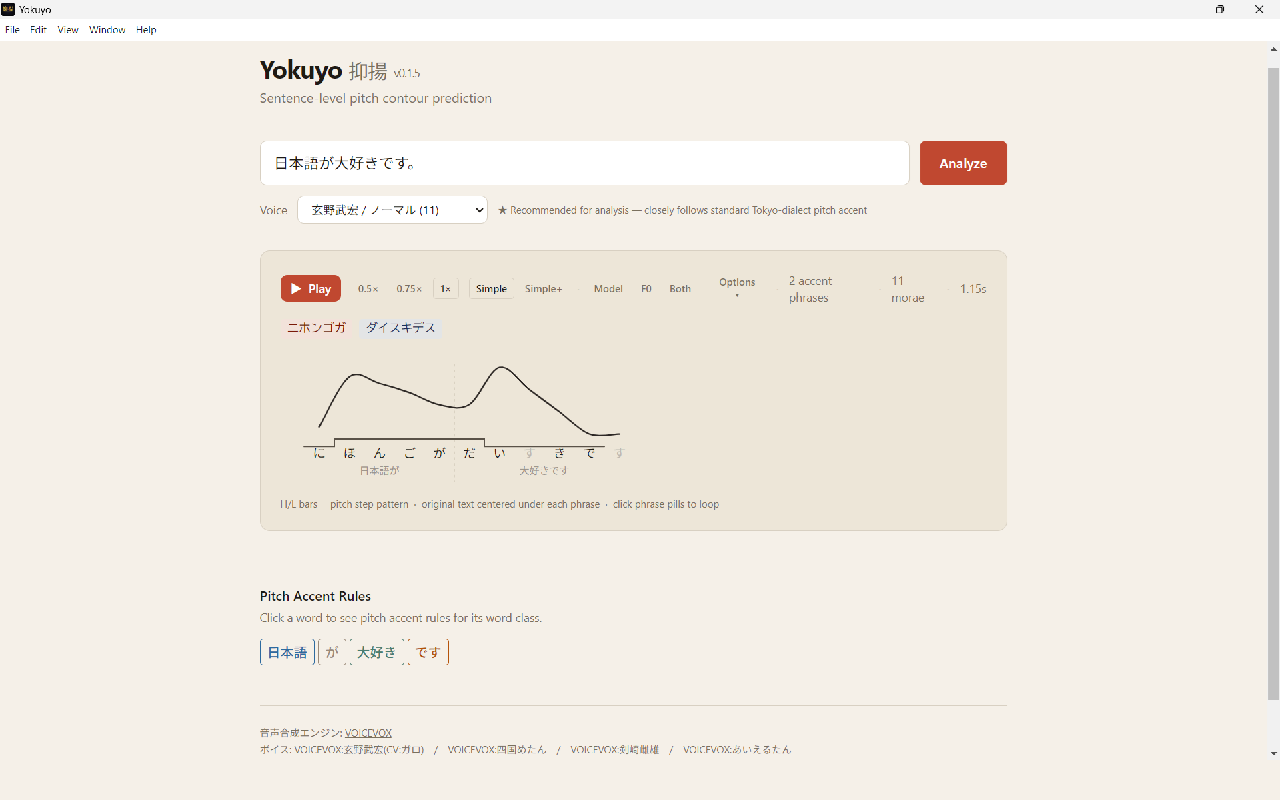
Yokuyo visualizes sentence-level pitch accent — the continuous rise and fall of real intonation across a whole phrase, not just word-by-word dictionary lookups.
Windows 10 / 11 · No audio? Make sure VOICEVOX is running (Yokuyo starts it for you).
See the continuous F0 curve for any Japanese sentence — how accent phrases connect and where downstep happens.
Clear high/low step marks above the kana, with the original text aligned beneath each phrase.
Hear the sentence with natural speech synthesis, adjust speed, and loop phrases for practice.
Tap any word to see the pitch accent rules for its word class — nouns, verbs, adjectives, particles, and more.
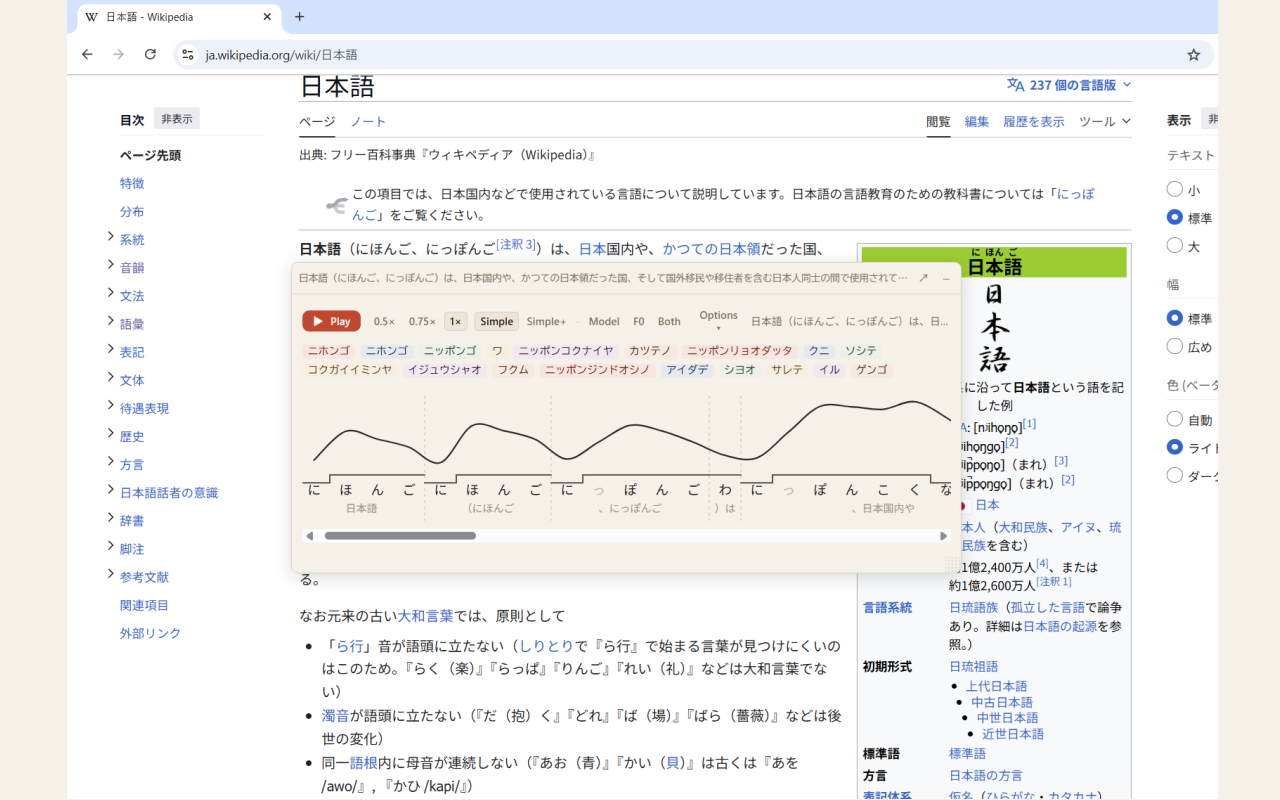
Hold Shift and hover over Japanese text on any web page to see its pitch contour, right alongside your popup dictionary. The extension works together with the desktop app running on your computer.
Pitch accent rules adapted from Dōgen's Japanese Phonetics course, shared with his kind permission. Thank you, Dōgen.